Browse & discover
Go where curiosity takes you.
Search or enter a web address on your TV. Navigate with directional controls and a pointer to suit the page you are exploring.
Screenshot languageEnglish

Search. Watch. Listen.
 AIXBrowser
 for Android TV
Browse, discover, and control from your phone.
Feel at home with the web on your TV.

From remote to phone, from browsing to bookmarks. An experience organized around the big screen.
Search or enter a web address on your TV. Navigate with directional controls and a pointer to suit the page you are exploring.
Search. Watch. Listen.
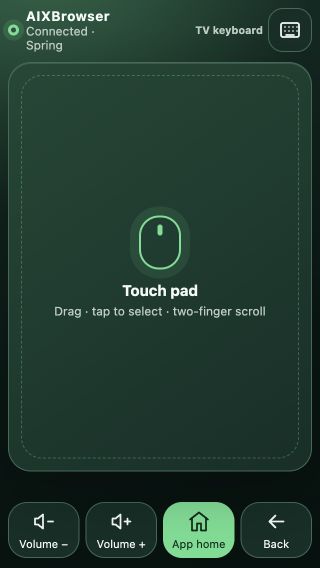
Pair your phone to move the pointer and enter text. Make web addresses and everyday navigation easier.
Return to familiar websites with bookmarks and browsing history, and pick up your own exploration.
Bookmarks · Browsing historyPrivate browsing and data clearing options help you manage browsing records on your television.

Screenshots illustrate existing versions. Interface and feature availability depend on the version in use.
Explore the details behind browsing, phone control, playback and personal settings.
Enter a query or web address and choose an available search provider. On supported devices, search by voice after granting microphone permission.
Navigate with directional controls or a pointer. Go back or forward, refresh, and adjust page zoom for a more comfortable TV experience.
Switch between TV, desktop, mobile and tablet identities. Save a choice for a site to try the layout that works best for it.
Control website ad blocking and site exceptions. Results depend on the site and rules; private mode or allowed sites may bypass blocking.
Connect your phone and TV to the same Wi-Fi and scan to pair. Authorized phones can reconnect, and access can be revoked on the TV.
Move the pointer, tap to select and scroll from your phone. Back and home controls help with everyday navigation.
Send text to a supported active field on the TV or submit a search. Use your phone keyboard for longer addresses and queries.
Play, pause, seek or change items in supported playback sessions. Available controls adapt to the content currently playing.
Explore videos and podcasts through home categories and detail pages, then open their sources. Availability depends on region and third-party services.
Browse shows and episodes, use a playback queue with previous and next controls, and resume from saved listening progress.
Choose 1×, 1.25× or 1.5× podcast playback, with seeking controls to move through an episode at your own pace.
Add playlists, manage channel favorites and viewing history, or send a source address from your phone. Bring sources you are authorized to use.
Save websites, videos and podcasts, and revisit recent activity. IPTV has its own channel favorites and viewing history.
Private mode does not save new browsing or search history. Website-data clearing options are also available. Private mode does not make network activity anonymous.
Manage product counts, usage analytics and crash diagnostics separately, with available data export and deletion controls.
Protect web, YouTube and IPTV entry points with a PIN. The lock controls access; it does not replace content ratings or parental supervision.
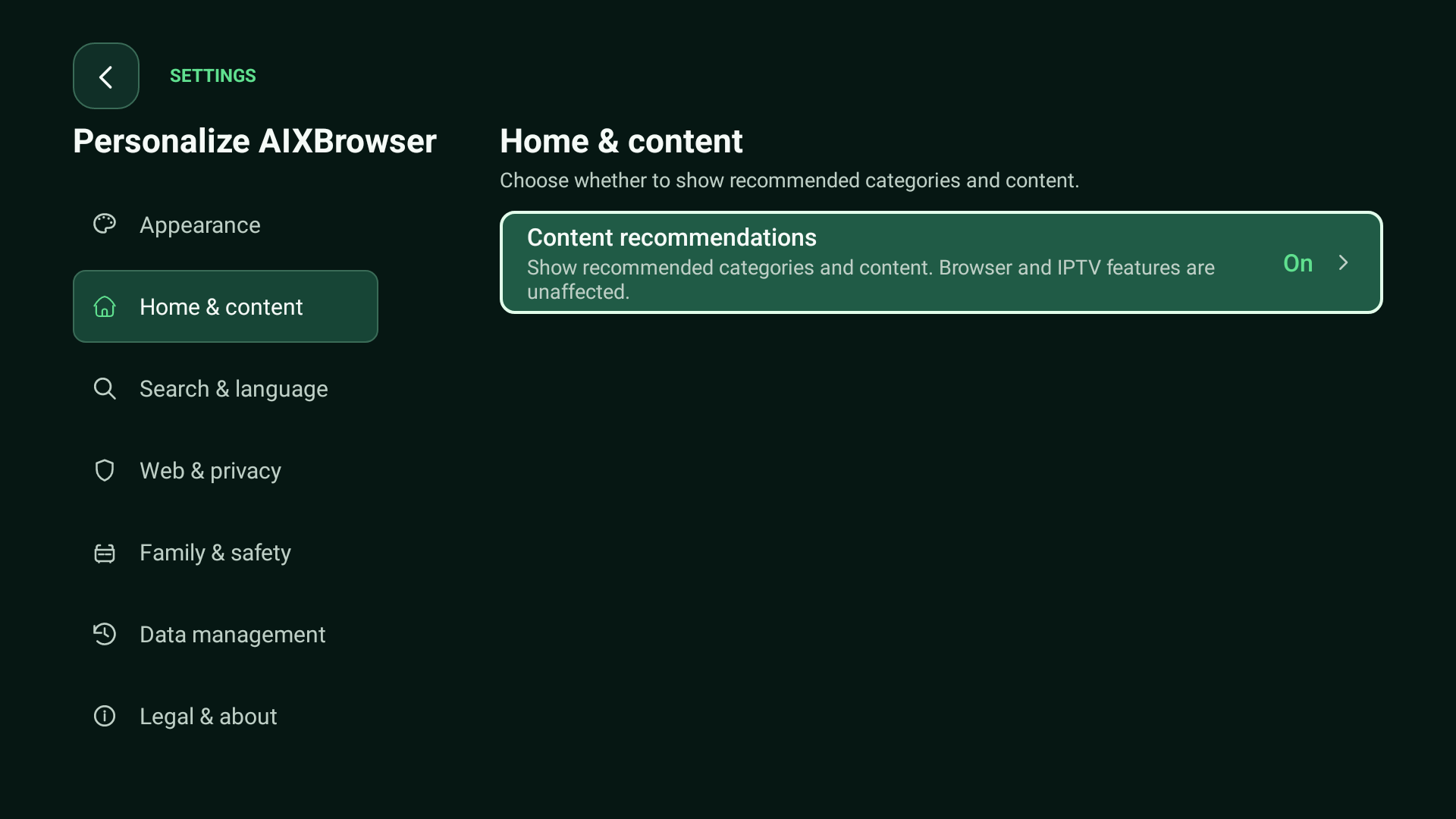
Choose from six color themes and adjust home content visibility to keep the browsing and content experience that suits you.
Third-party websites, podcasts, and playback sources depend on region, service, and device. IPTV requires sources you are authorized to use. AIXBrowser does not provide paid channel subscriptions.

About us
Novasight Technology Limited
Novasight Technology Limited is the company behind AIXBrowser. We aim to make exploring the internet on television feel natural, through browsing and interaction designed for the big screen.
For product support, feedback, or business inquiries, get in touch.
support@noyvi.com